The new Marketing Certo panel is here
Everything you use to sell on WhatsApp now lives on a single screen: accounts, chats, campaigns, schedules, CRM, artificial intelligence, the Official API and even your email inbox. Faster, safer and much easier to use.
Campaign Simulation:
High Volume with Responsibility
See in practice how our Multi-Account architecture distributes your outreach with mathematical safety, delivering top performance without ban risks.
🚀 This way, you achieve high outreach volume with maximum safety and efficiency, without bans — high volume with responsibility.
🔒 50/day safe limit per new number • Unlimited messages for safe/warmed numbers per account.
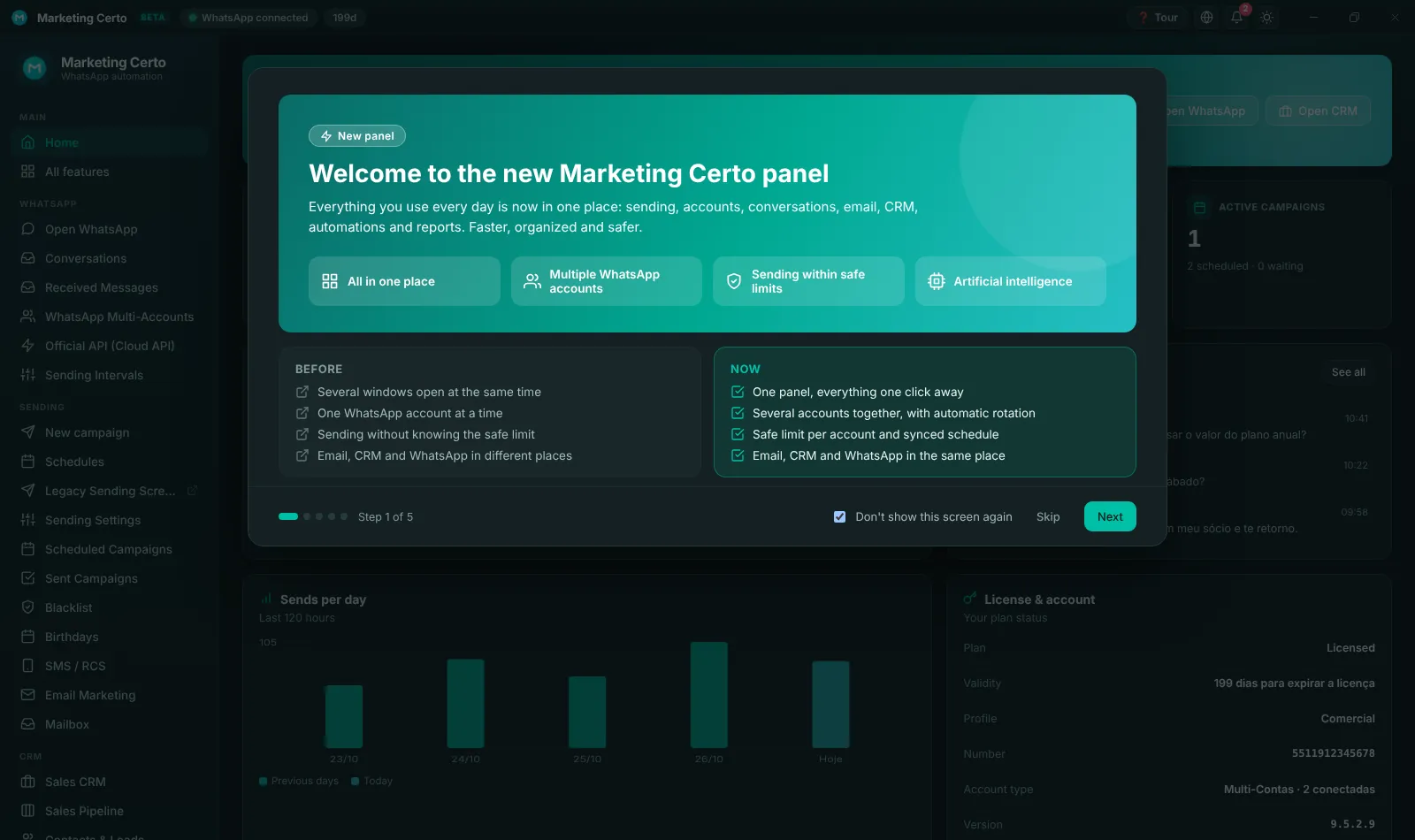
Before × Now
What changes in your day-to-day
Before
- Several windows open at once
- One WhatsApp account at a time
- Loose sends with no safe limit
- CRM, email and WhatsApp in different places
- Customer replies scattered around
Now
- One panel, everything one click away
- Several accounts together, with automatic rotation
- Safe limit per number and reserve accounts
- CRM, email and WhatsApp in the same place
- Every chat in one inbox
Meet each part of the new panel
Click the images to see them full size.
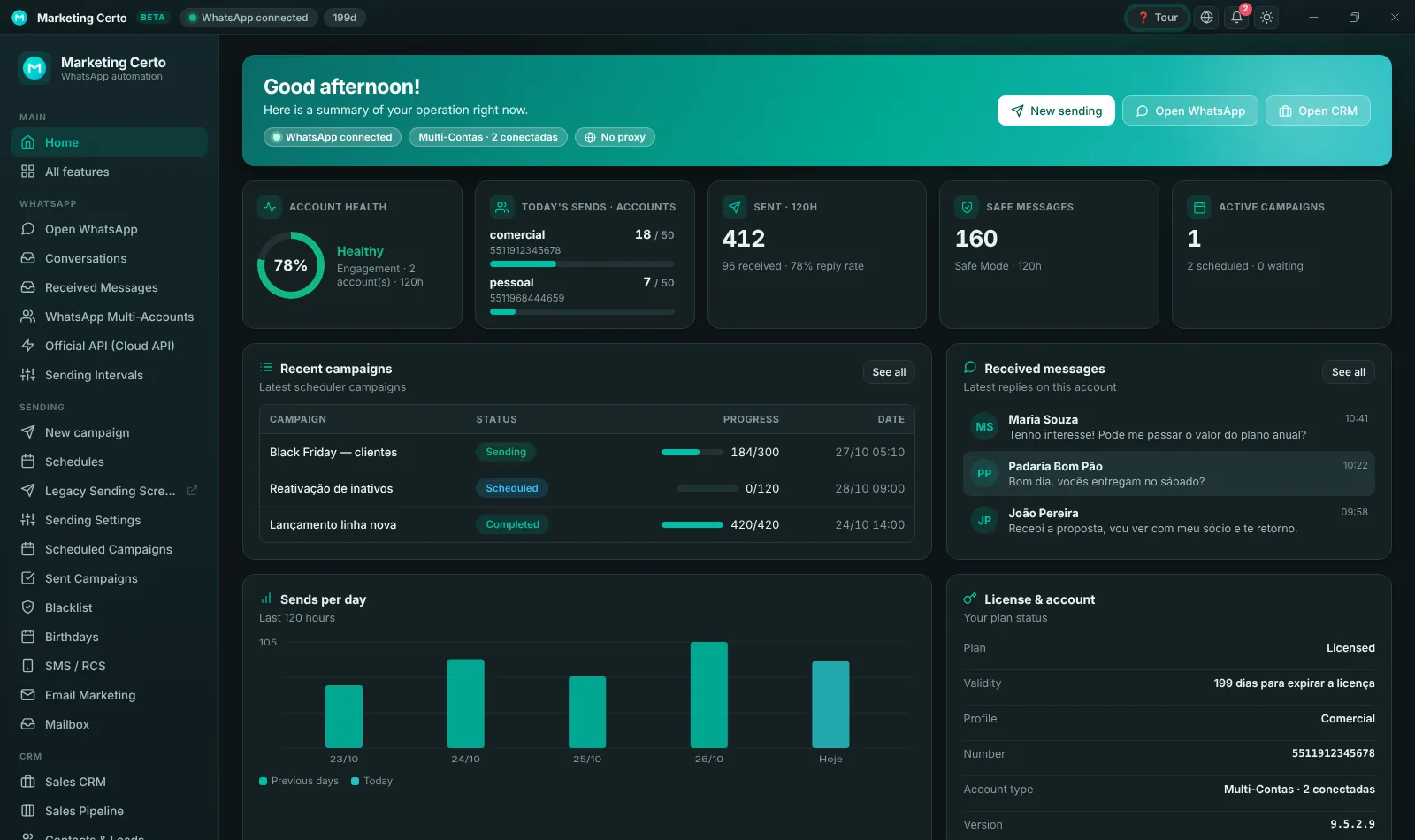
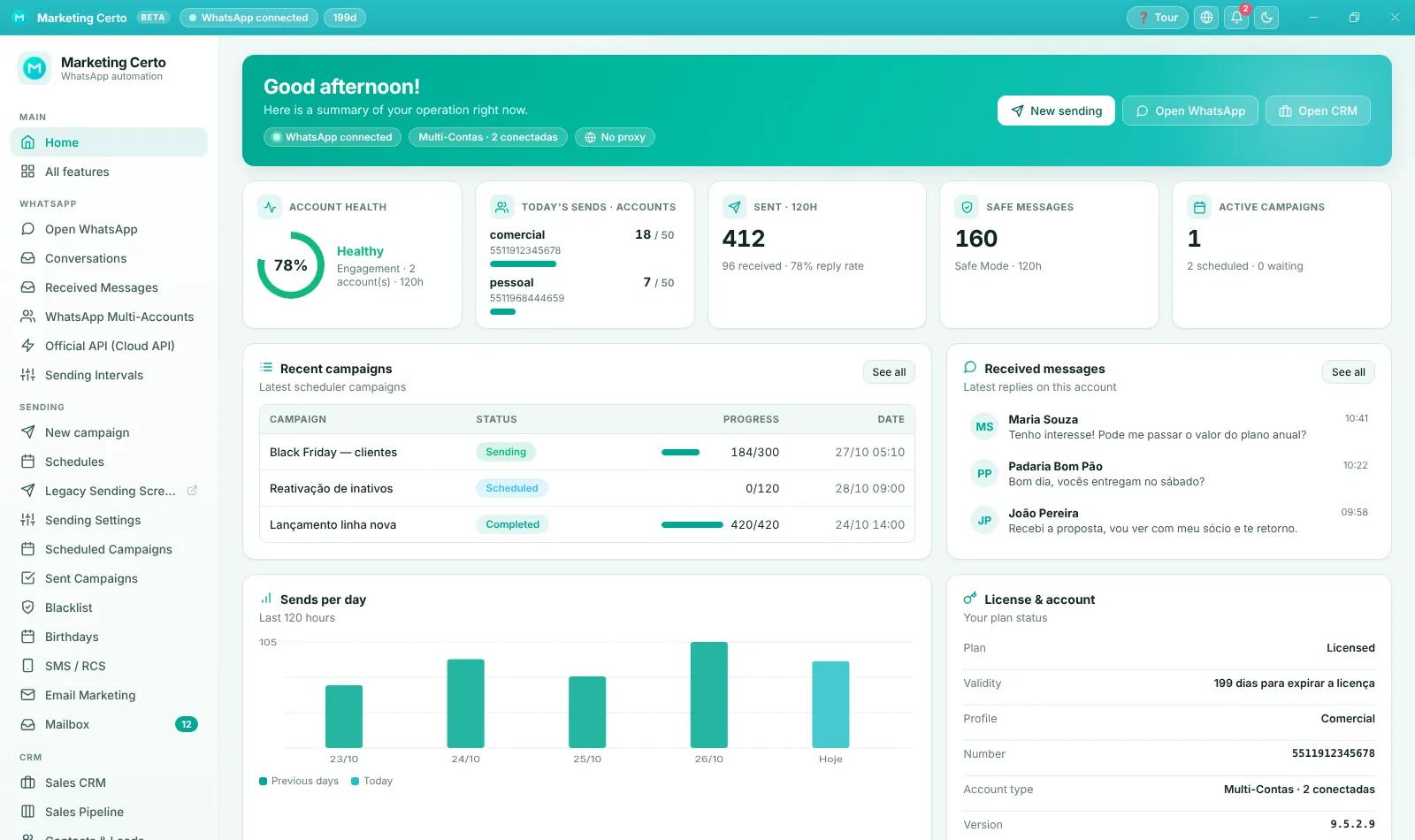
Home: your day at a glance
As soon as you open the program you see account health, how many sends each number still has today, running campaigns and the latest customer replies.
- Account health scored 0 to 100
- Today's sends per account
- Shortcuts to New send, WhatsApp and CRM
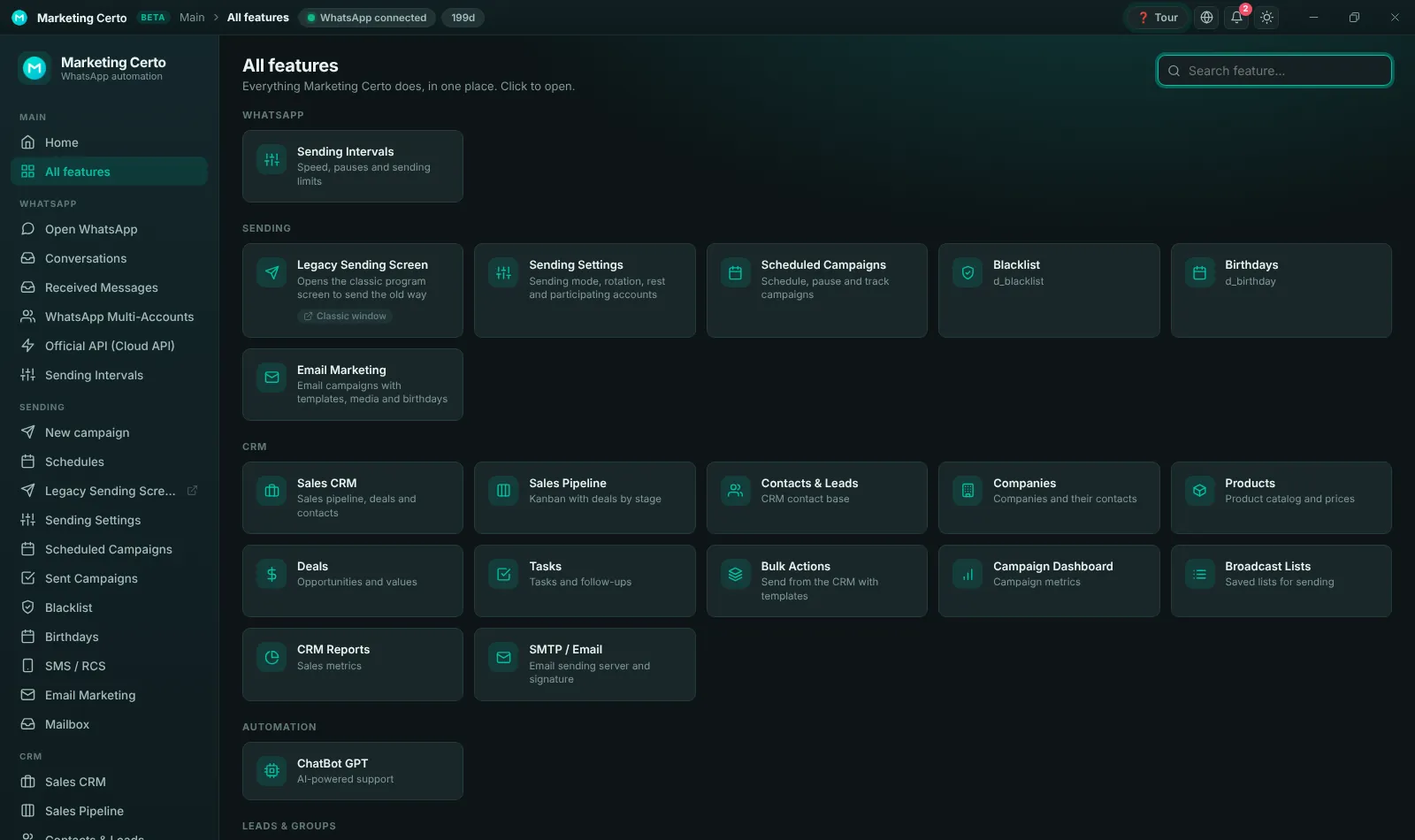
Every feature in cards
Not sure where something is? "All features" shows each tool as a searchable card. The side menu groups everything by area: WhatsApp, Sending, CRM, Automation, Leads, Filters and Telephony.
- Search by tool name
- Collapsible menu
- No loose windows
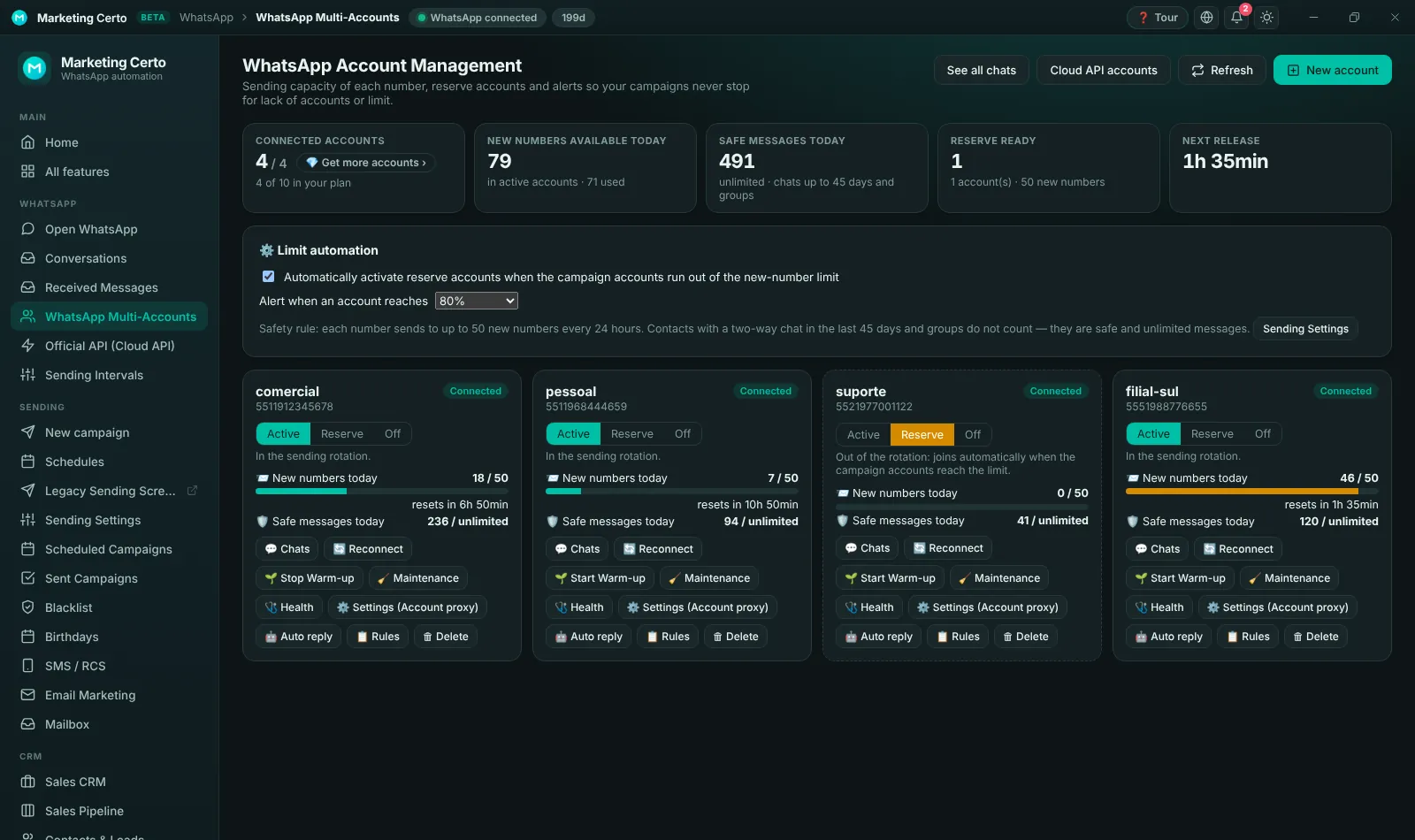
Multiple accounts with safe limits
Connect several numbers by QR code and track the capacity of each one. Each number sends to up to 50 new numbers a day; recent chats and groups do not count. Reserve accounts join automatically when the others hit the limit.
- Active, Reserve or Off per account
- Alert when an account reaches 80%
- Warm-up, proxy, replies and rules per account
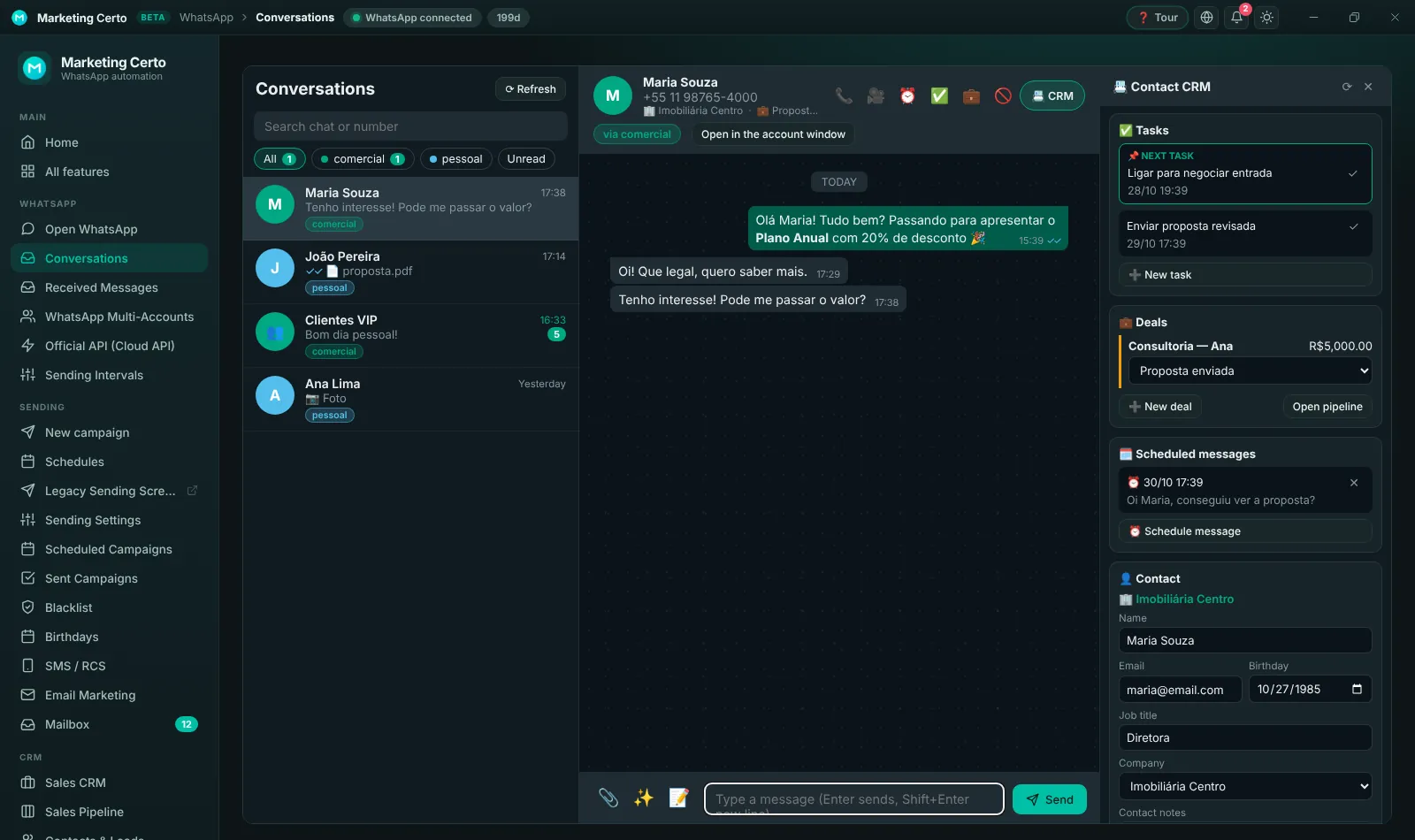
Unified chats
Messages from every account arrive in a single inbox, with filters per account. Reply, send files and audio and schedule messages without switching screens — with the contact’s CRM data alongside.
- Every account in one place
- CRM panel next to the chat
- Schedule a message from the chat
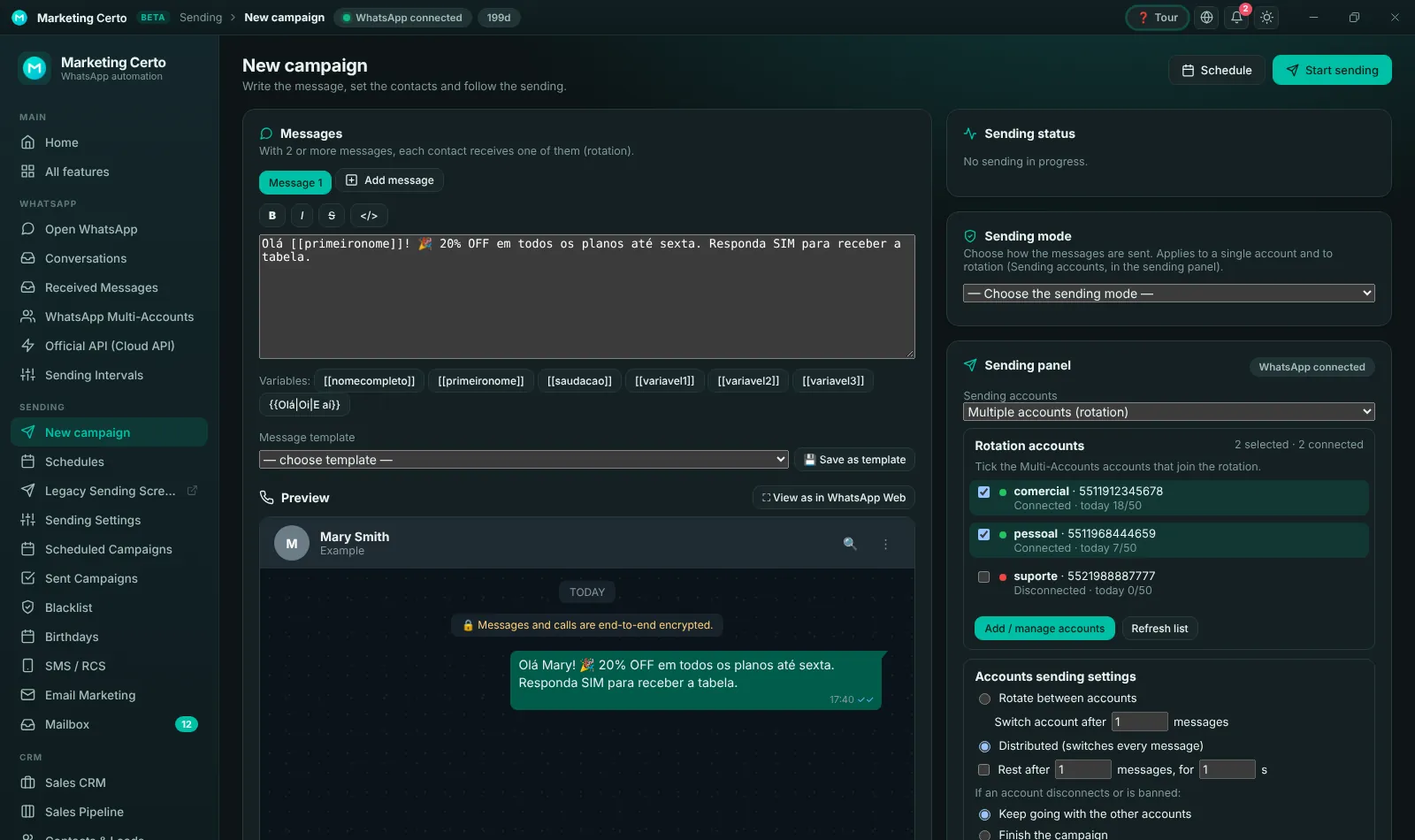
New campaign with a safe pace
Build the message with variables and spintax, attach media, choose the accounts and see the preview. Before sending, the panel shows how many new numbers the list has and whether the accounts can handle it today.
- List pre-check
- Rotation across accounts
- Automatic intervals and pauses
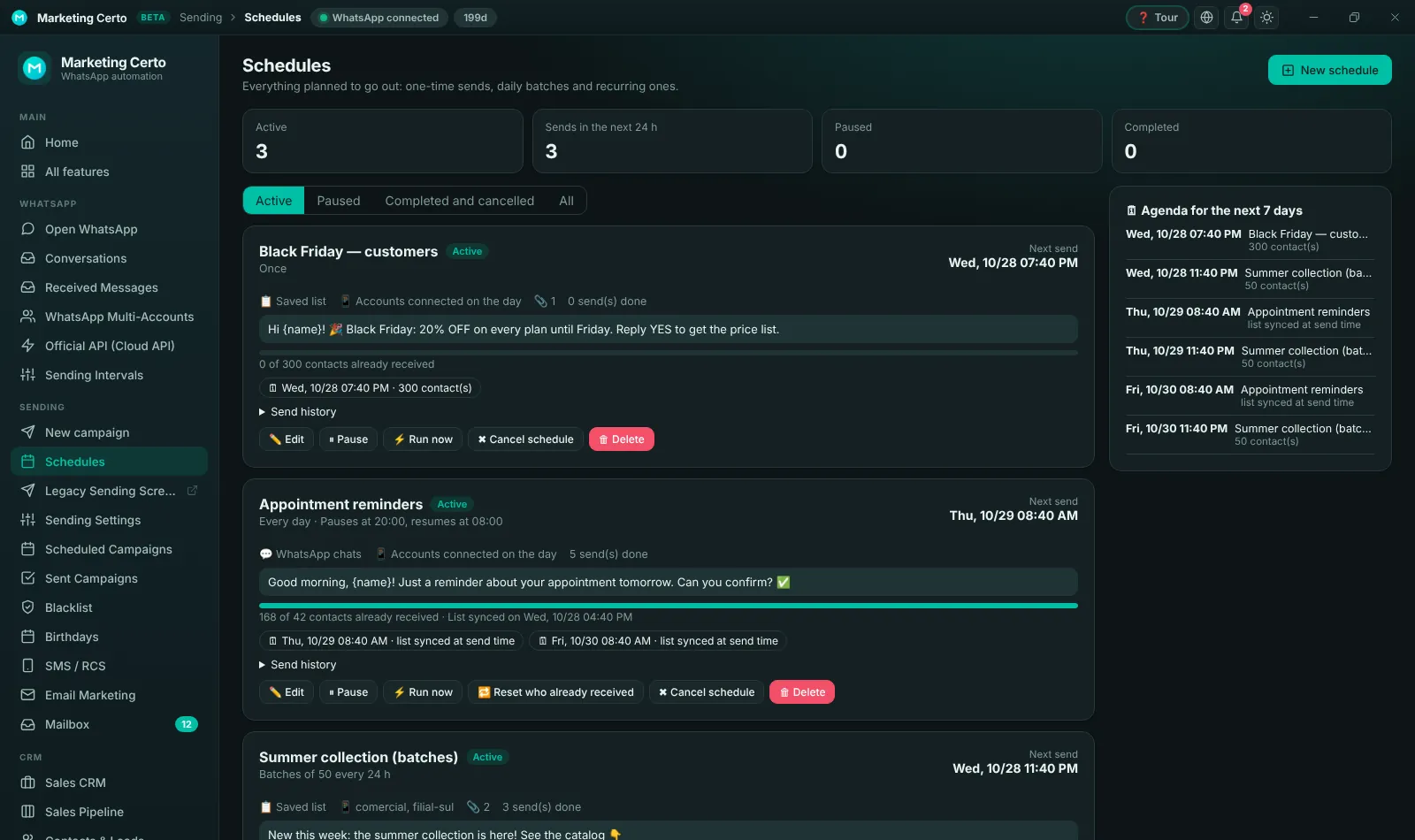
Schedules: once, in batches or recurring
Schedule a campaign for a given time, split a large list into daily batches of 50 or create sends that repeat every day, week or month — with a night pause and a history of each run.
- Batches that respect the safe limit
- Daily, weekly or monthly repeat
- Upcoming sends on an agenda
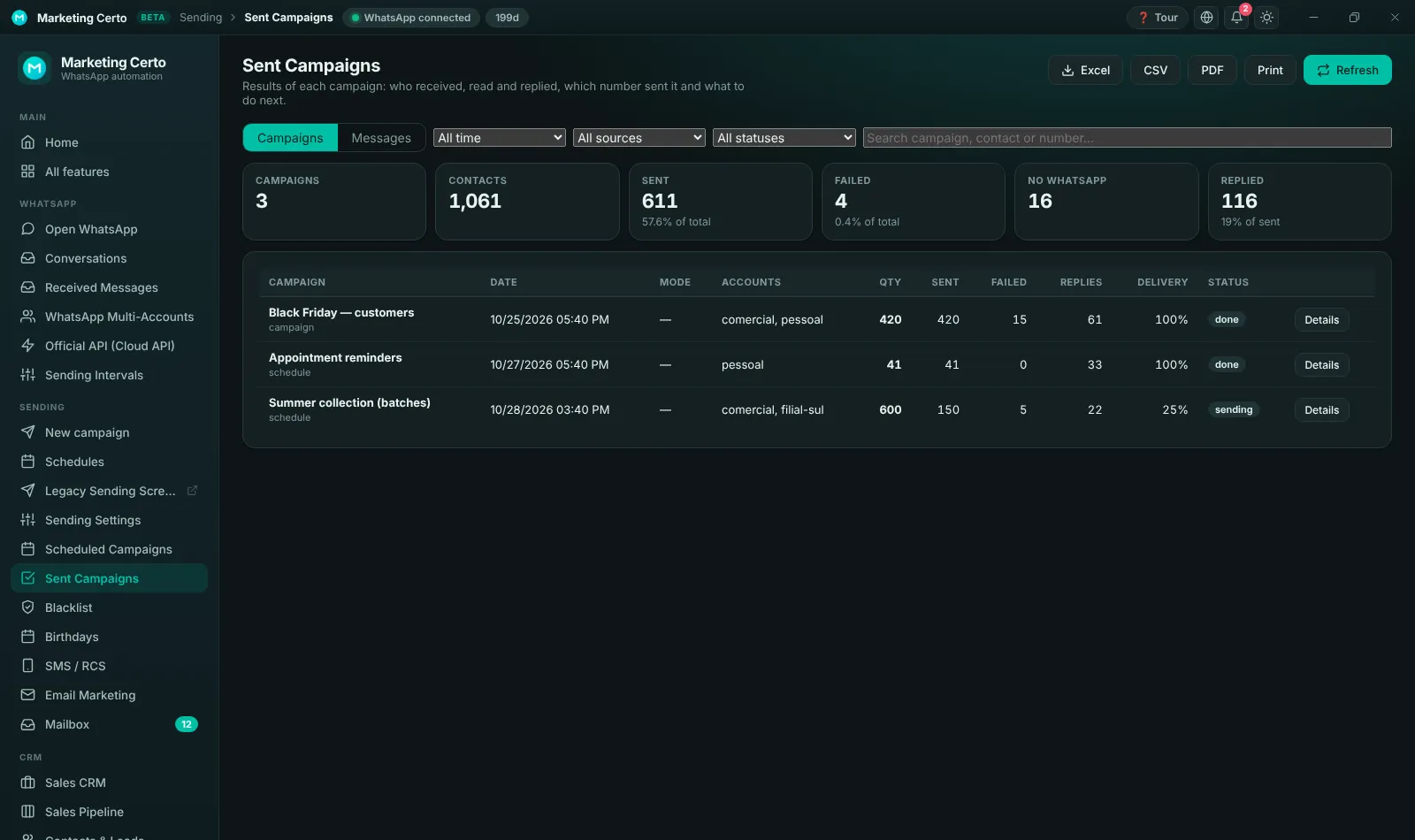
Sent campaigns and reports
See how many messages were sent, delivered, failed or replied to in each campaign. Export to Excel or PDF and track results per account.
- Reply rate per campaign
- Excel and PDF export
- Details of every message
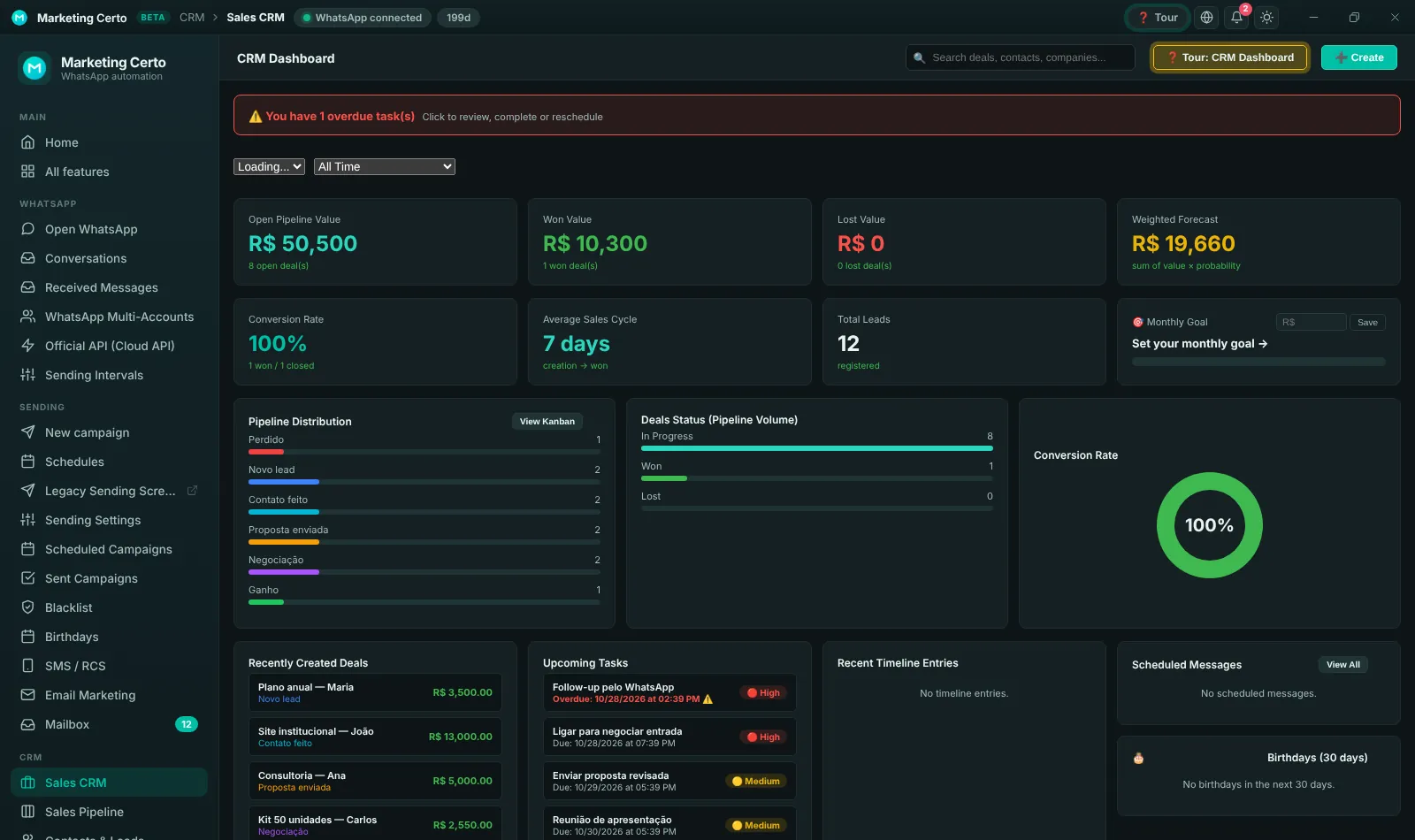
Built-in sales CRM
Sales pipeline, contacts, companies, deals and tasks in the same panel as WhatsApp. Track the value in negotiation, the conversion rate and the next steps for each customer.
- Drag-and-drop Kanban pipeline
- Tasks and reminders
- Sales reports
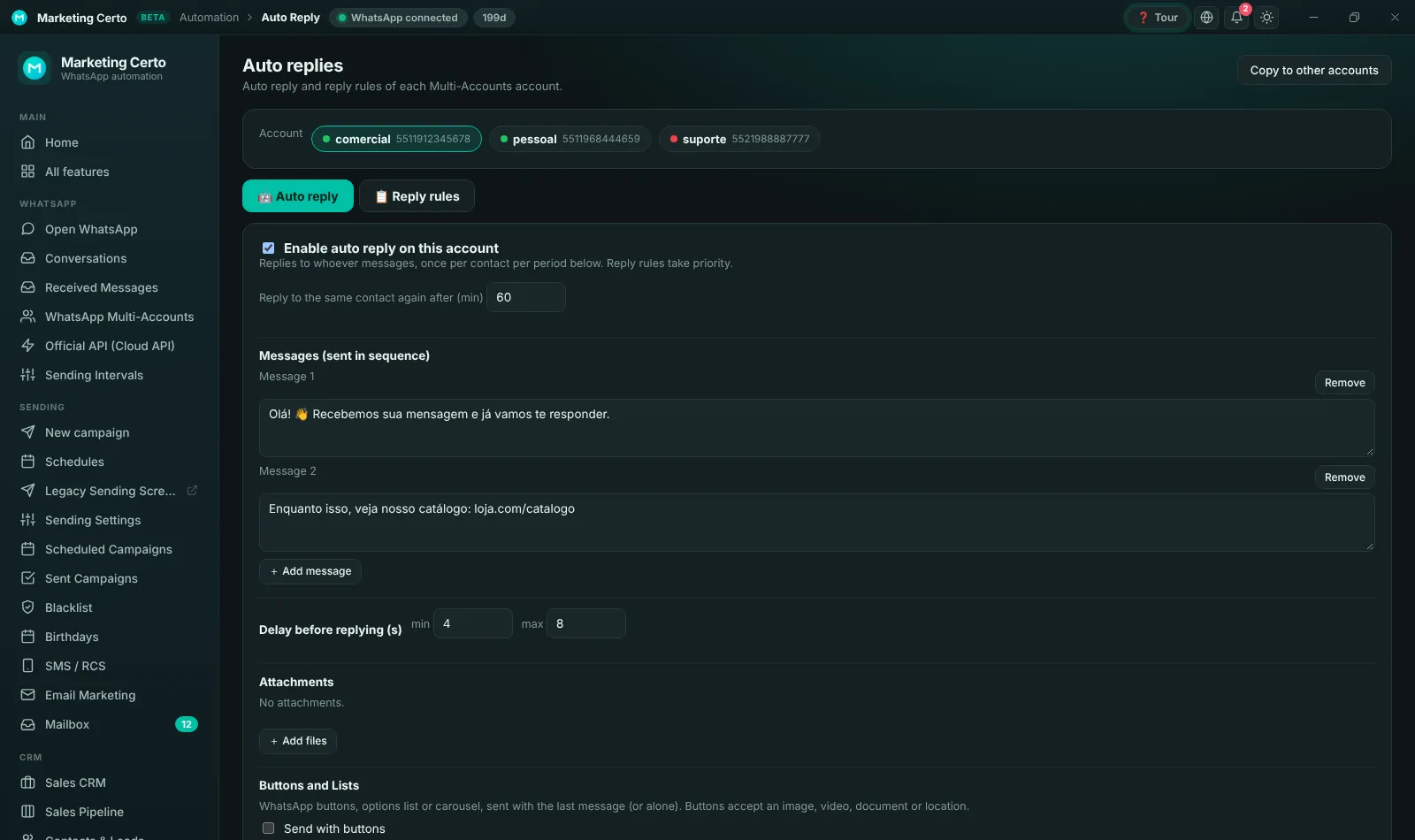
Auto replies, rules and AI
Set up auto replies per account, keyword rules and an AI ChatBot that answers with text, buttons, lists and product carousels.
- Per Multi-Account account
- Buttons, lists and carousel
- AI ChatBot trained on your data
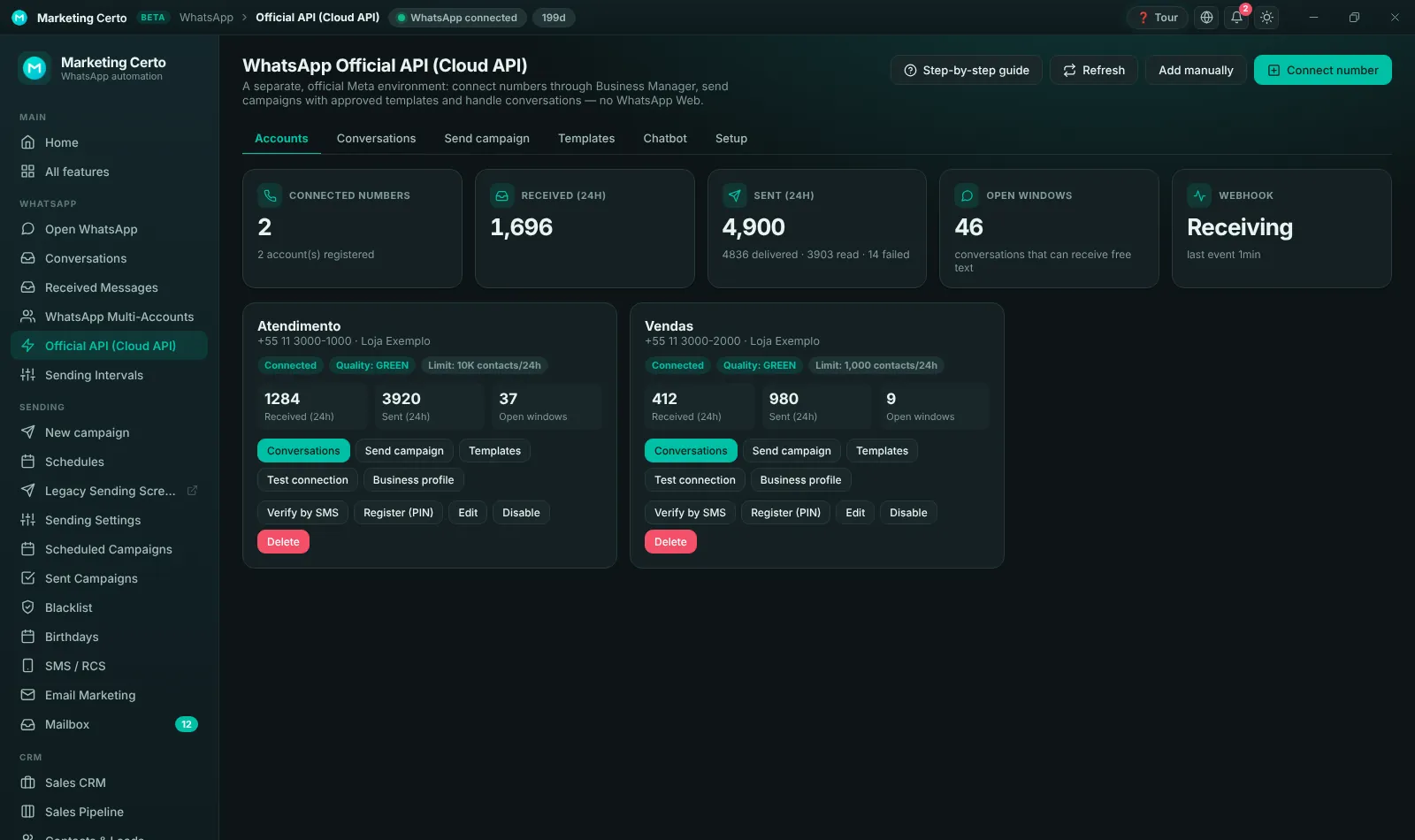
Official WhatsApp API (Cloud API)
A hybrid panel: use WhatsApp Web and the Meta Official API in the same program. Connect official numbers, send approved templates, receive chats and track deliveries and reads.
- Guided connection with Meta
- Templates, campaigns and chatbot
- Webhook with real-time status
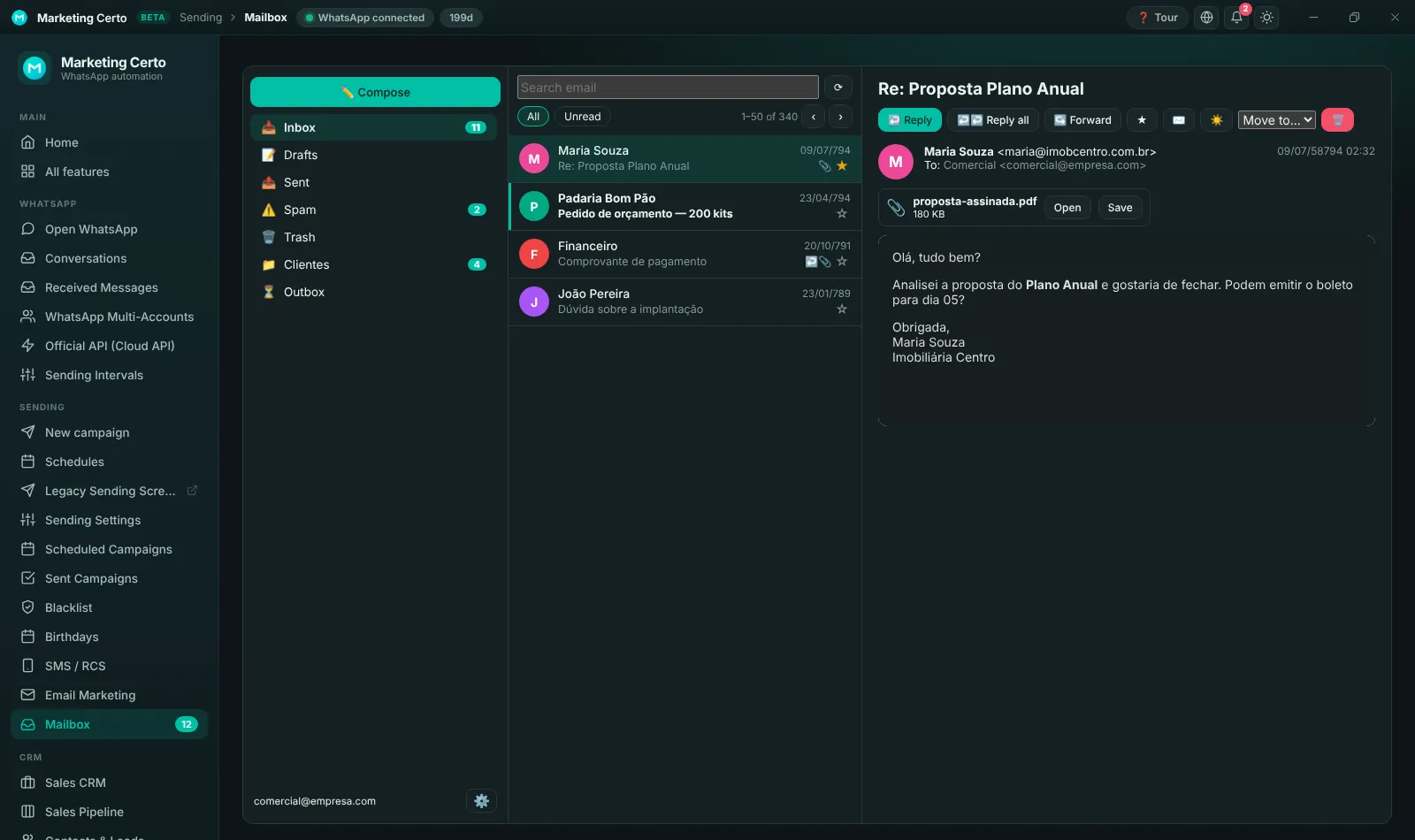
Email inbox: all in one place
Now you read and reply to emails inside the program, next to WhatsApp and the CRM. Several email accounts, folders, attachments and email marketing campaigns.
- Several email accounts
- Read, reply and forward
- Built-in email marketing
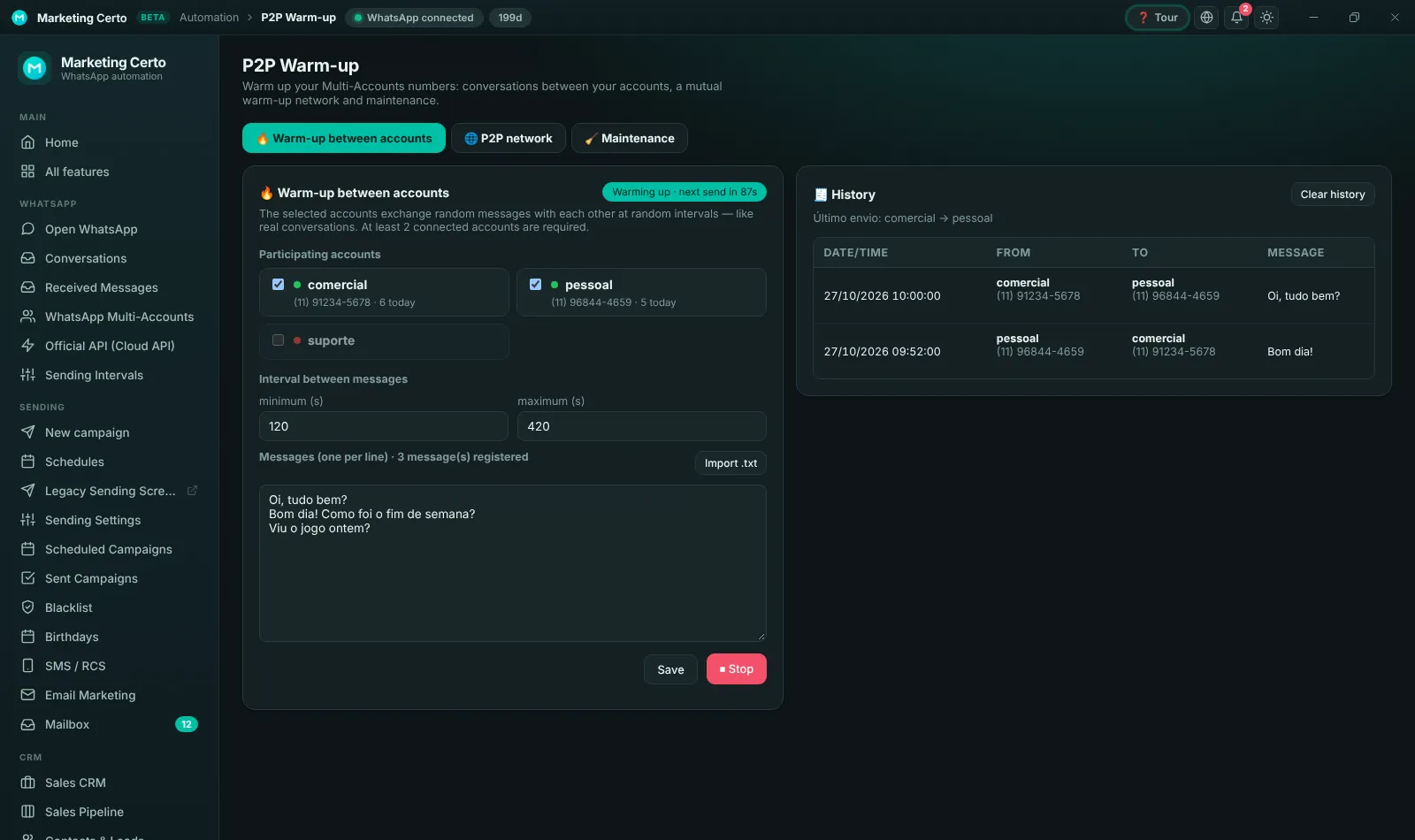
P2P Warm-up
Warms up new numbers with natural conversations between your own accounts, helping to build reputation before campaigns.
- Automatic chats between accounts
- Warm-up history
- On and off per account
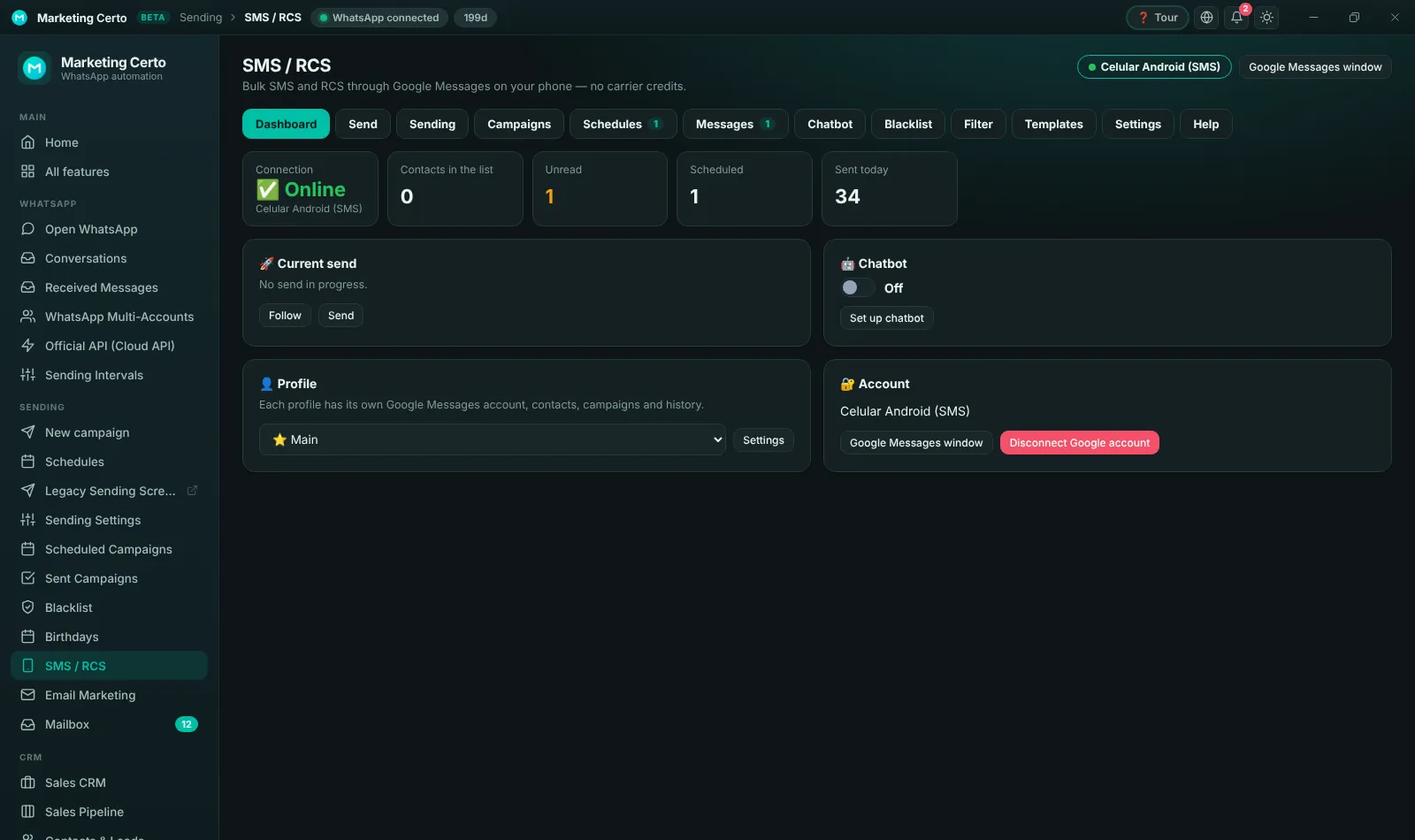
SMS and RCS from an Android phone
Send SMS and RCS using your own Android phone connected to Google Messages, with campaigns, schedules, chatbot and blacklist.
- Sends through your SIM
- Campaigns and schedules
- Chatbot and replies
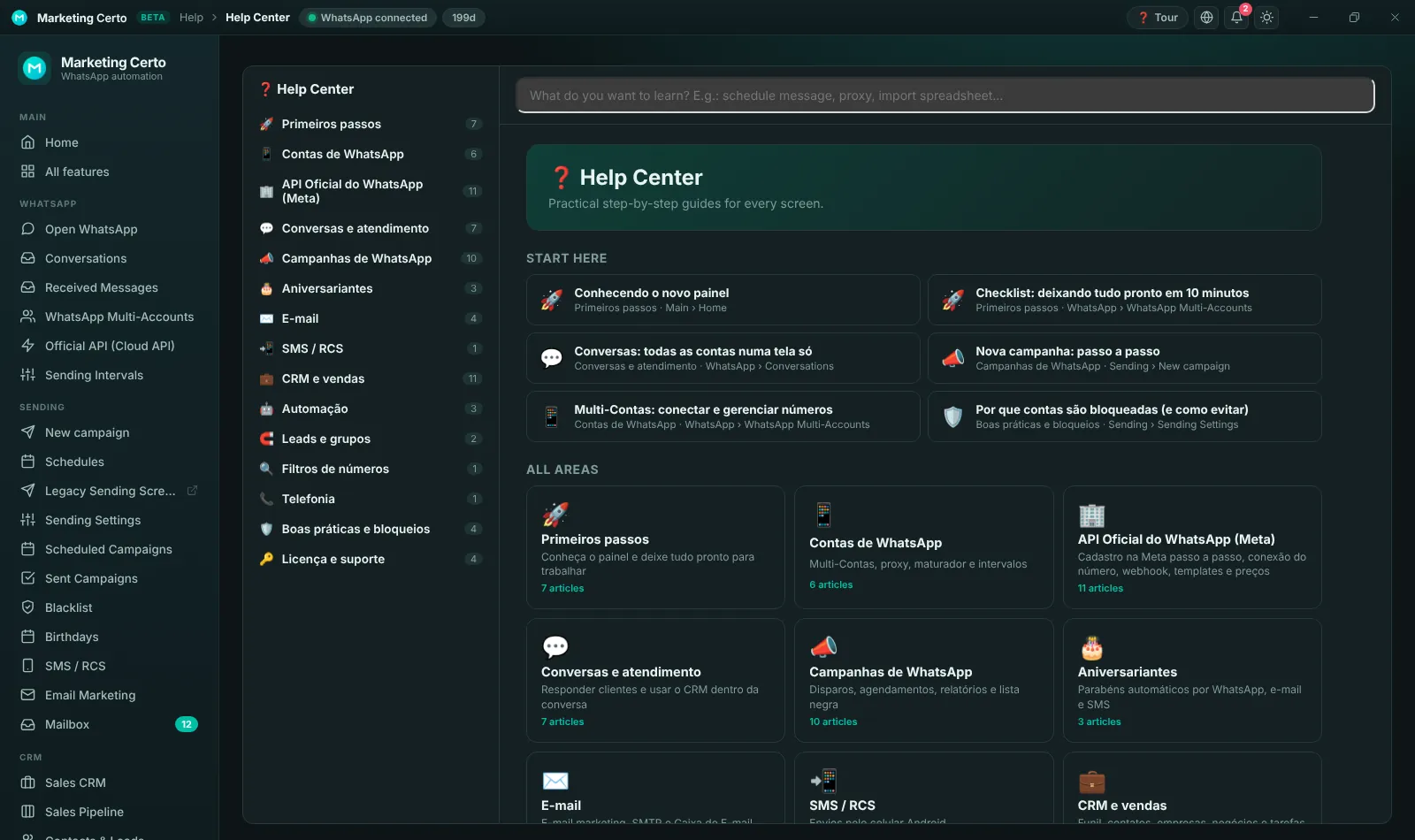
Help Center and interactive Tour
Every screen has a guided tour on the "Tour" button and the Help Center explains everything with images, step by step and search.
- Tour on every screen
- Guides with images
- Search by topic
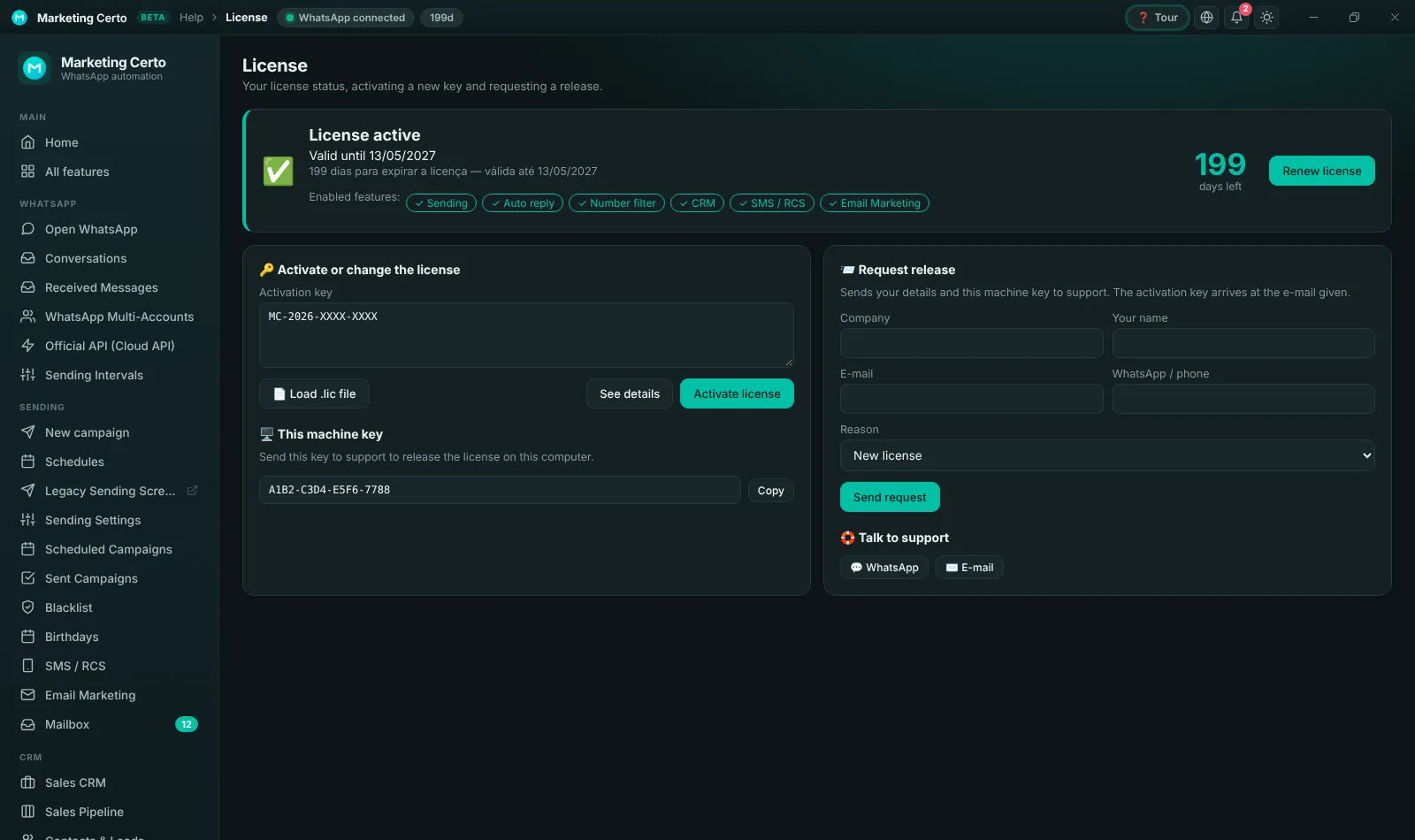
License and Customer Area
See the license validity, the modules you have and how many accounts your plan includes. In the Customer Area you look up your key, move to another computer and change the person in charge.
- Activation with the machine key
- Release request from the program
- Online Customer Area
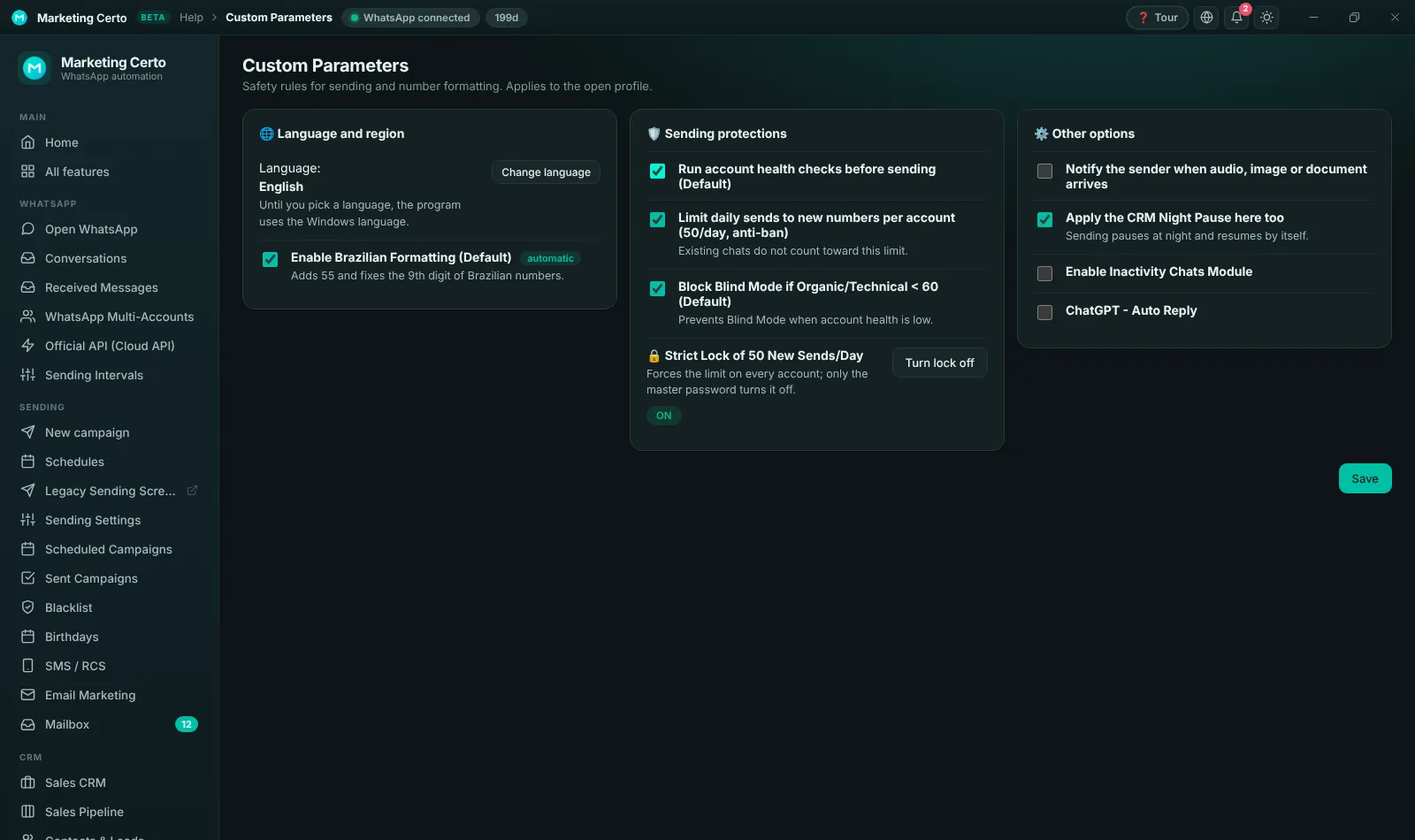
Sending protections and Audit
Custom Parameters hold the anti-ban protections: health checks, the 50-new-numbers-a-day limit and the password-protected Strict Lock. The Audit keeps a history of everything done in the program.
- Strict Lock with master password
- Automatic Brazilian formatting
- Full audit with export
Light or dark theme, in 24 languages
Pick the theme you like with one click. The program uses the Windows language until you choose another one of the 24 available.
- Light and dark theme
- 24 languages
- Switches instantly, no restart
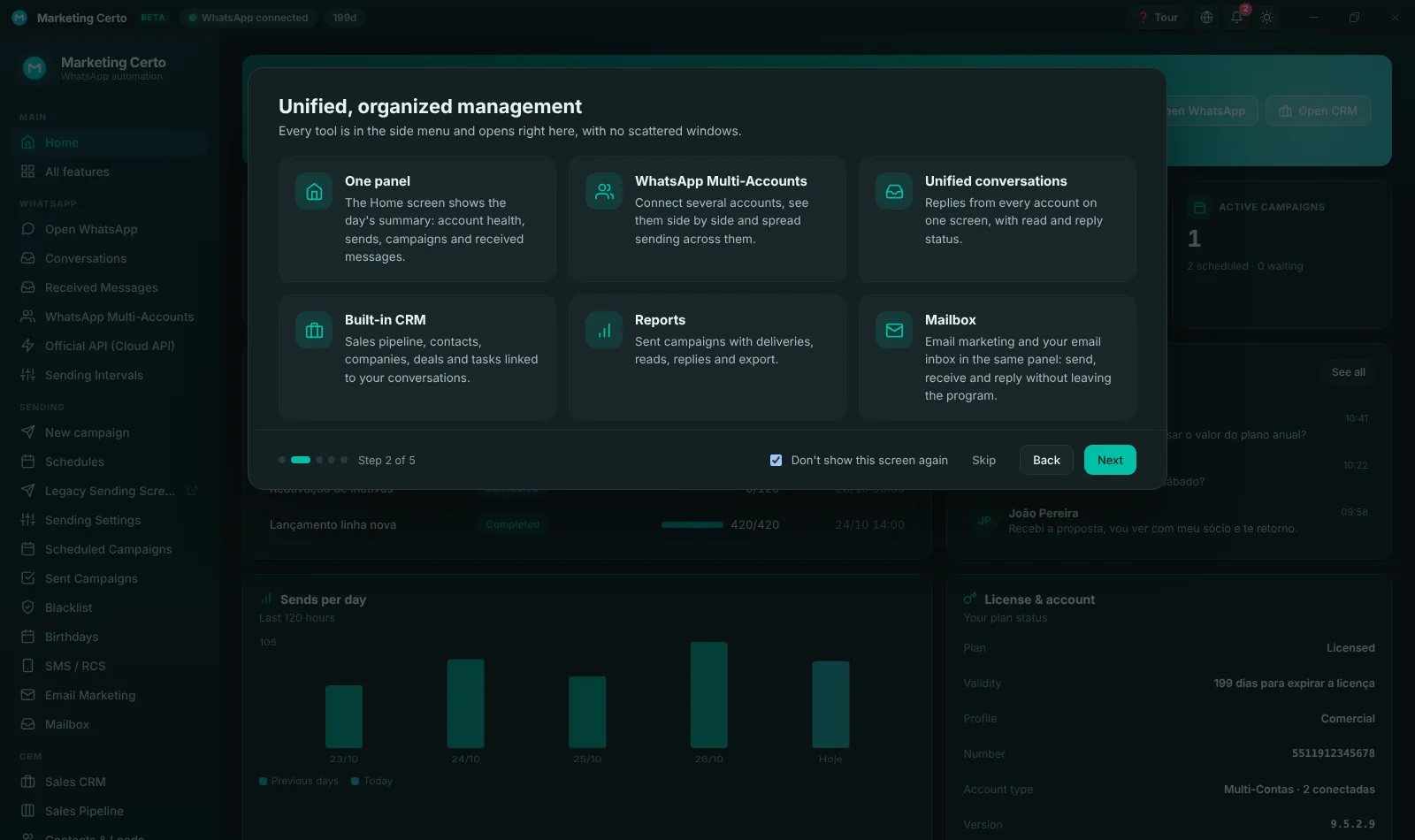
A welcome screen shows what is new
The first time you open the new panel, a quick guide presents the main changes. You can see it again anytime under Help › What’s new.
How to update to version 9.6.1.0
It takes a few minutes and your accounts, campaigns and contacts stay where they are.
Download the new version
Click "Download version 9.6.1.0" or, in the program, go to Help › About › Check for updates.
Install over it
Run the installer. There is no need to uninstall the previous version: your data is kept.
Open the program
The license is validated automatically and the new panel opens right away, with the welcome screen.
Connect your accounts
Under WhatsApp › WhatsApp Multi-Accounts, check the connected accounts and set which are Active or Reserve.
Frequently asked questions
Do I have to pay to use the new panel?
No. The new panel is part of version 9.6.1.0 and is available to every customer with an active license.
Will I lose my campaigns or contacts?
No. The update keeps accounts, contacts, campaigns, schedules and settings.
How do I move to another computer or see my key?
Open the Customer Area with your license email: there you see the key, move to another computer and change the person in charge.
What is the 50 new numbers a day limit?
It is an anti-ban protection: each number sends to up to 50 new numbers every 24 hours. Recent chats and groups do not count and are unlimited.
Can I try it before buying?
Yes. The demo version unlocks every feature for 48 hours.
Ready to meet the new Marketing Certo?
Download version 9.6.1.0, activate your license and enjoy everything in one place.
💬 Questions? Talk to support on WhatsApp · [email protected]